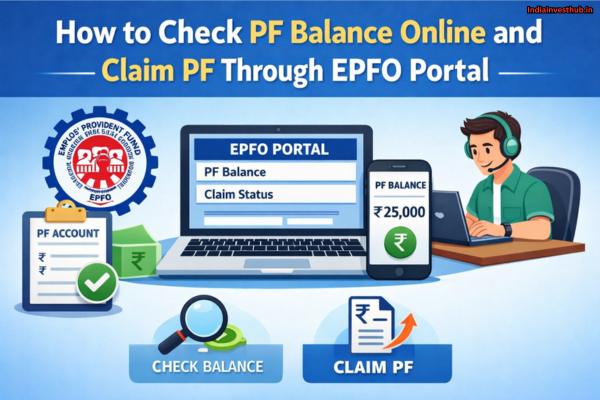
Checking your PF balance and claiming PF online has become much easier thanks to the EPFO (Employees’ Provident Fund Organisation) portal. Earlier, employees had to depend on employers or visit EPFO offices for PF-related updates, but today, everything from balance checking to withdrawal can be done online in just a few minutes. This digital process saves time, reduces paperwork, and gives employees full control over their retirement savings.
Whether you are currently working, changing jobs, or planning to withdraw your PF amount, knowing how to use the EPFO portal is extremely important. With a valid UAN (Universal Account Number), you can check your PF balance anytime, track contributions made by you and your employer, and submit PF claims without visiting any office. EPFO also allows online claims for full PF withdrawal, partial withdrawal, and pension benefits, making the entire process transparent and user-friendly.
In this article, you’ll learn how to check PF balance online using the EPFO portal, UMANG app, SMS, and missed call methods. You’ll also get a clear, step-by-step guide on how to claim PF online through the EPFO portal, required documents, and how to track your PF claim status easily.
What Is EPFO and UAN? Why They Are Important for PF Services
PF Balance services are managed by EPFO (Employees’ Provident Fund Organisation), a statutory body under the Ministry of Labour & Employment. EPFO oversees EPF accounts, interest credit, withdrawals, transfers, and pension benefits.
The most important identity in the EPFO system is the UAN (Universal Account Number). UAN is a 12-digit unique number assigned to each employee. Once generated, the same UAN remains with you throughout your career, even if you change jobs.
Why UAN matters:
- All PF accounts are linked under one UAN
- PF balance can be checked online
- PF claims can be submitted digitally
- Transfers between employers become easy
Without an active UAN, online PF services are not possible.
What Is PF (Provident Fund)?
How to Activate UAN Online on the EPFO Portal (Step-by-Step):
PF Balance checking starts with UAN activation.
Steps to activate UAN:
- Visit the official EPFO Member Portal
- Click on “Activate UAN”
- Enter UAN, Aadhaar, name, date of birth, and mobile number
- Verify OTP sent to your registered mobile
- Set a password and complete activation
Once activated, you can log in anytime to view your PF balance, passbook, and claim status.
EPFO reports show that UAN activation crossed 90% coverage among active salaried employees, which significantly reduced offline paperwork and claim delays (Source: EPFO press releases).
Documents Required to Check PF Balance and File PF Claim Online:
PF Balance services work smoothly only when documents are correctly linked.
Required documents:
- Aadhaar (mandatory for online claims)
- PAN (important for tax compliance)
- Bank account details (for credit of funds)
- Mobile number linked with Aadhaar
Missing or mismatched documents are the most common reason for PF claim rejection, even today.
How to Check PF Balance Online Using EPFO Member Portal:
PF Balance can be checked easily through the EPFO Member Portal.
Steps:
- Visit EPFO Member Portal
- Log in using UAN and password
- Click on “View” → “Passbook”
- Select Member ID
- View employee contribution, employer contribution, and interest
This method provides the most detailed PF balance view, including monthly contributions and interest credited.
How to Check PF Balance Using UAN, SMS, and Missed Call:
PF Balance can also be checked without logging into the portal.
Missed Call Method:
- Give a missed call to 9966044425 from your UAN-registered mobile
- You receive an SMS with your PF balance
SMS Method:
- Send SMS: EPFOHO UAN ENG to 7738299899
- Language code can be changed (HIN, TAM, TEL, etc.)
These methods are useful when internet access is limited.
How to Link Aadhaar, PAN, and Bank Account with EPFO:
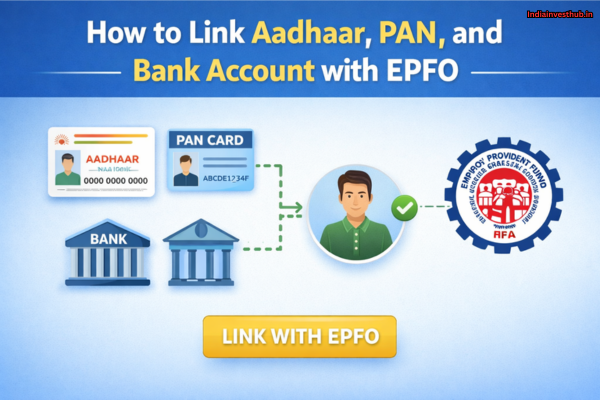
PF Balance and claims require KYC verification.
Steps to link documents:
- Log in to EPFO Member Portal
- Click on “Manage” → “KYC”
- Enter Aadhaar, PAN, and bank details
- Submit for employer approval
EPFO data shows that Aadhaar-seeded accounts have faster claim processing times, often within 7–10 working days, compared to offline claims (Source: EPFO circulars).
How to Claim PF Online Through EPFO Portal (Full & Partial Withdrawal):
PF Balance withdrawal can be full or partial.
Full PF Withdrawal:
Allowed when:
- Retired
- Unemployed for more than the prescribed period
Steps:
- Log in to EPFO Member Portal
- Click “Online Services” → “Claim (Form-31, 19, 10C)”
- Verify bank details
- Select claim type
- Submit request
Partial PF Withdrawal:
Allowed for:
- Medical treatment
- House purchase or construction
- Education or marriage
- Unemployment
Partial withdrawals do not close the PF account.
PF Claim Status – How to Track Your EPF Withdrawal Online
PF Balance claim status can be tracked easily.
Steps:
- Log in to EPFO portal
- Click “Online Services” → “Track Claim Status”
- View current processing stage
Statuses usually show:
- Claim received
- Under process
- Approved
- Amount credited
Common PF Claim Rejection Reasons and How to Avoid Them:
PF Balance claims often fail due to simple issues:
Common reasons:
- Name mismatch between Aadhaar and EPFO
- Bank account not linked or incorrect
- PAN not linked (for taxable withdrawals)
- Employer not approving KYC
- UAN not activated
Fixing KYC details before applying avoids most rejections.
PF Withdrawal Rules, Processing Time, and Tax Implications:
PF Balance withdrawal follows strict rules.
Processing Time:
- Aadhaar-verified claims: 7–15 working days
- Offline/manual claims: longer
Tax Implications:
- PF withdrawn before 5 years of service may be taxable
- PAN linking avoids higher TDS
- PF withdrawn after 5 years is tax-free
According to Income Tax guidelines, early withdrawal without PAN may attract higher TDS, reducing the final credited amount.
FAQs – Check PF Balance Online and Claim PF
Q1: How often should I check PF balance?
👉Once or twice a year is enough unless you change jobs.
Q2: Can PF be claimed online without Aadhaar?
👉Online claims require Aadhaar linking.
Q3: Is PF balance transferred automatically when changing jobs?
👉No, you must initiate transfer through EPFO portal.
Q4: Can I withdraw PF while still working?
👉Partial withdrawal is allowed for specific reasons.
Q5: What if employer delays PF approval?
👉EPFO allows escalation through grievance portals.
Conclusion:
PF Balance is more than just a number—it represents years of disciplined savings, employer contributions, and compounding that quietly build financial security. Knowing how to check PF balance online and claim PF through the EPFO portal empowers investors to take control of their long-term money without relying on middlemen or paperwork. With UAN activation, KYC linking, and online claims, EPFO has made PF management faster and more transparent than ever.
So before your next job change or financial decision, ask yourself—do you really know how much your PF balance has grown and how to access it when you need it most?