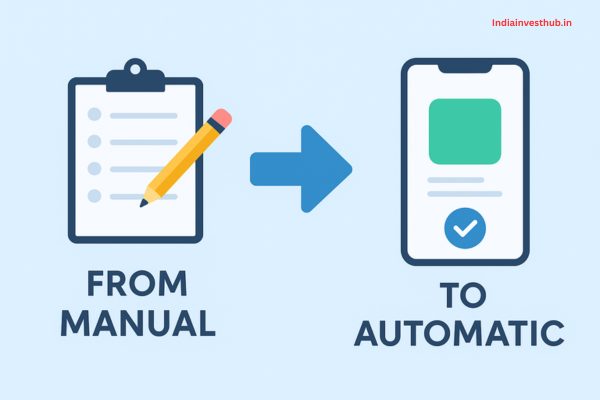
Budget matters — and switching from manual budgeting to an automatic system can totally change the game. Many of us start with a handwritten ledger or spreadsheet, updating expenses when we “remember,” but studies show this old-school way often fails: over 60% of users abandon manual tracking within a few months because it’s too tedious. Automation, on the other hand, can reduce human error by up to 90% in financial processes.
Why Manual Budgeting Fails: Common Mistakes That Hold You Back

Let me tell you about Ravi, a friend who used to manage his budget by hand. Every month, he’d open an Excel sheet, jot down his expenses—groceries, rent, commuting—and then hope he’d kept track right. But one time, he realized he’d forgotten to record half his monthly outings; another time, he missed logging a few utility bills. At the end of the quarter, his “savings” looked a lot more optimistic than reality.
Here’s why that happens so often: humans make mistakes. Spreadsheets, while powerful, are notoriously prone to errors — research shows that even operational spreadsheets can have 0.8–1.8% formula error rates, which may sound small, but over a long, complex sheet, it adds up. On top of that, manual budgeting demands constant discipline. According to a PYMNTS study, only 14% of people actually use daily reminders or budget nudges; most stop budgeting altogether.
People also mis-guess future expenses, forget to track recurring costs, and fail to adjust for irregular income. Over time, the budget they fight so hard to maintain drifts away from reality — and then it just feels pointless.
The Power of Automation: How It Saves Time, Stress, and Money
That’s where automation comes in and saves the day. With budgeting apps or tools that sync with your bank account, software can categorize your spending in real time, flag patterns, and even send alerts. According to a survey, over 70% of users report improved budgeting accuracy when using technology.
For Ravi, switching to an app made a huge difference. Instead of manually entering every transaction, his app now does the heavy lifting. It reminds him when he’s approaching his budget for “eating out” or notifies him when a recurring payment is coming up.
And the benefits go beyond just convenience. Automated alerts have been shown to reduce overspending by up to 30%, according to fintech research. Users also report a 25% increase in savings over six months once they start using alerts properly.
Plus, setting up auto-transfers to savings means you don’t need to rely on your memory or willpower. SaveTogether points out that automated systems ensure consistent contributions to savings or emergency funds, turning “set it and forget it” into real balance-building.
Best Budgeting Apps to Automate Your Finances (Free & Paid Options):
Now, if you’re wondering which apps actually help, here are some standout options—both free and paid:
- YNAB (You Need A Budget) — Paid: Great for goal-based budgeting.
- Mint — Free: Automatically syncs with your bank, categorizes spendings, and offers insights.
- PocketGuard — Free + Premium: Helps you understand how much is “safe to spend” after bills and savings.
- EveryDollar — Basic free version, premium paid: Simple layout, built around a zero-based budget.
These tools don’t just record transactions. Some use AI-driven features that analyze your spending and suggest smarter saving habits. According to PwC-based research, AI-powered budgeting tools can cut your financial management cost by up to 20% and lead to smarter money behaviour.
How to Automate Savings: SIPs, Recurring Deposits & Auto-Transfers
Saving automatically doesn’t have to be complicated. Here are a few popular ways:
- SIPs (Systematic Investment Plans): Automate investment into mutual funds or other instruments directly from your bank account.
- Recurring Deposits / Fixed Deposits: Set up monthly or weekly auto-debits into a deposit account so you build cash without thinking about it.
- Auto-transfers: Direct some part of your checking account to your savings right after paycheck arrives.
Ravi set up a recurring transfer: every time his salary hits his account, 20% goes straight into a high-interest savings account. He rarely misses it, and after a year, he had built a comfortable emergency cushion — much more than he could have if he was doing it manually.
Preparing for Financial Surprises: How to Budget and Build an Emergency Fund Effectively
Automating Expense Tracking: Bank Alerts, Categorization & AI Tools
Tracking expenses manually means constantly entering data and categorizing. Not anymore. Here’s how tools simplify that:
- Bank alerts: Set push or email alerts for large transactions, recurring payments, or when spending in a category goes above a threshold.
- Automatic categorization: Apps like Mint or PocketGuard fetch your transactions and sort them into categories — groceries, bills, entertainment — automatically.
- AI Tools: AI-driven budgeting apps can learn your habits over time, detect unusual spending, and suggest budget tweaks.
These features save time, reduce errors, and make sure nothing slips through the cracks.
Smart Rules to Create an Auto-Budget That Adapts to Your Lifestyle:
Automation isn’t “set and forget” — you need smart guardrails. Here are some rules you can set up:
- Percentage-based rules: Allocate a fixed percentage of your income to categories (e.g., 50% for needs, 30% for wants, 20% for savings).
- Rule-based thresholds: If you spend more than X on entertainment or dining, get a warning or reduce next week’s allowance.
- Income-linked rules: If your income fluctuates, use net income to set how much to save / spend rather than fixed numbers.
- Buffer rule: Maintain a minimum buffer in your checking account, so auto-transfers don’t lead to overdrafts.
Ravi used a combination: 20% to savings, 30% for flexible spending, but when bills or rent vary, his app lets him tweak the amounts before auto-transfers happen. This keeps things adaptive and realistic.
Balancing Automation With Manual Control: What You Should Still Track
Automation is powerful — but that doesn’t mean you should never check in:
- Monthly reviews: Sit down every month and glance at all your major categories.
- Review goals: Make sure your savings or spending goals are still aligned with your life — maybe a new goal popped up.
- One-off expenses: Things like vacations or big gifts may not follow regular rules, so manually plan for them.
- High-risk categories: If you overspend in certain areas (e.g., food delivery), keep a manual eye on them even if automated tools give suggestions.
The idea is to let automation handle the grunt work, but you steer the ship.
Avoiding Automation Pitfalls: Overdrafts, Hidden Fees & Wrong Categories
While automation is helpful, some common pitfalls can hurt you:
- Overdraft risk: If auto-transfers are too aggressive and there’s not enough balance, you might hit overdraft fees.
- Hidden fees: Some banks or services charge for auto-transfers or recurring payments, or there may be conditions.
- Mis-categorization: Automated tools might mislabel transactions — e.g., labeling a business dinner as “food & dining.” Over time, that skews your budget.
- Lack of flexibility: Full automation may feel rigid if your income or expenses change dramatically.
To avoid these, set your auto-budget conservatively at first, double-check categories frequently, and maintain a small buffer in your checking account.
Monthly Review Checklist: How to Monitor and Fine-Tune Your Automated Budget
Here’s a simple monthly checklist to keep your auto-budget healthy:
- ✅ Review total income vs what was auto-allocated
- ✅ Check auto-savings contributions and adjust if needed
- ✅ Look for mis-categorized expenses and correct them
- ✅ Compare your actual spending vs your “smart rules”
- ✅ Adjust thresholds or percentages if your income changed
- ✅ Review any alerts you received — were they useful or annoying?
- ✅ Evaluate any recurring payments: cancel, pause, or renegotiate if needed
Doing this review helps you stay in control, even when automation is doing most of the work.
FAQs – From Manual to Automatic Budget
Q1: Will automating my budget make me lazy with money?
👉Not really — automation handles the routine tasks, but you still decide the rules. You review and adapt.
Q2: Is automation safe?
👉Yes, if you use trusted apps with secure bank-level encryption. And always keep a small checking buffer.
Q3: What if my income is irregular?
👉Use percentage-based rules or set up tiered auto-transfers that adjust with your earnings.
Q4: Can I stop automation anytime?
👉Yes, most tools let you pause, change, or disable recurring transfers and alerts at any time.
Conclusion:
Budgeting doesn’t have to be a manual grind. By moving from manual to automatic, you’re not handing over control — you’re delegating the busy work. Automation saves time, reduces stress, and helps you actually stick to your financial goals. With the right tools, smart rules, and regular reviews, you can build a budget that works for you, not against you.
Ready to make the shift and take your budgeting to autopilot?